How to solve loading problems of TopSolid dlls in Windows 11?
Symptom: Starting with Windows 11 (version 22H2 or 23H2), a Windows app called Smart App Control is often enabled by default and causes issues.
This app is designed for security purposes and blocks applications or individual DLLs that it identifies as dangerous or unrecognized by Microsoft.
When launching Topsolid, you may see messages such as “Unrecognized application, DLL blocked” or application errors.
It is not possible to create an exception by specifying an application or folder to ignore, as you would with antivirus software.
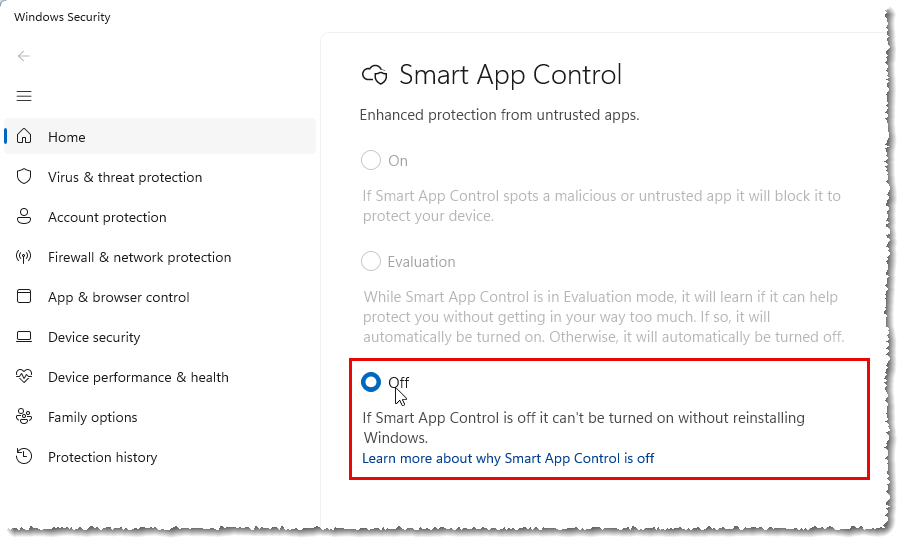
Solution: The solution consists in deactivating this feature.
For this, type “Smart App” into the Windows search bar: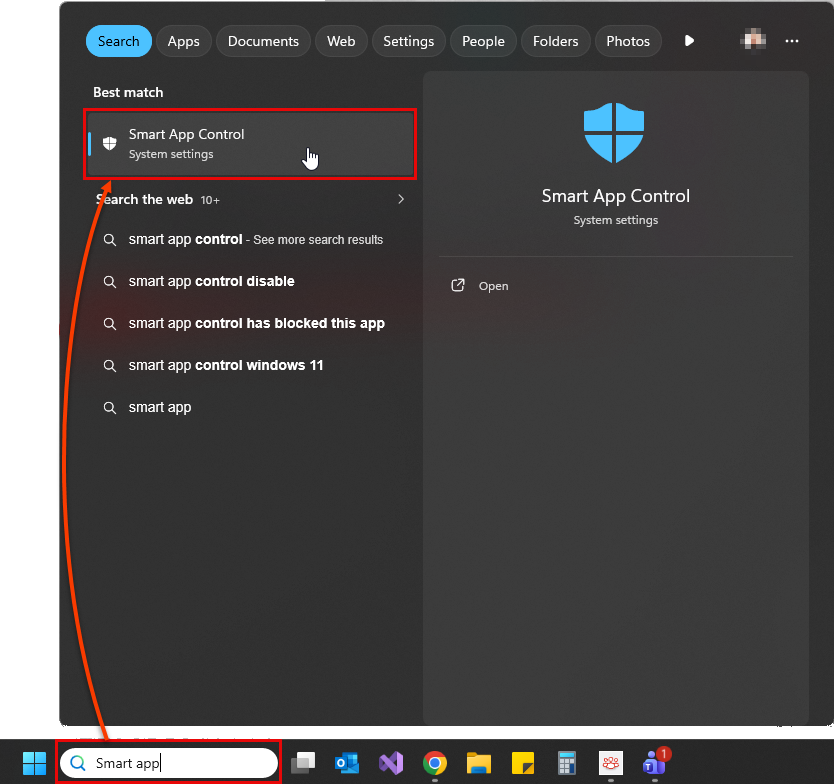
Then, check the Off option to deactivate it: