How to control the default settings for Wood machining interfaces?
When using V6 machining interfaces, it is essential to check the safety distance values for drilling and calibration.
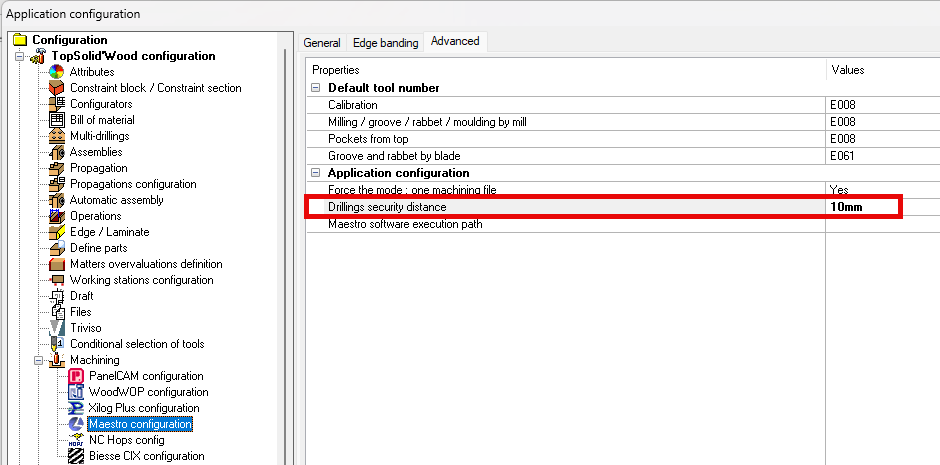
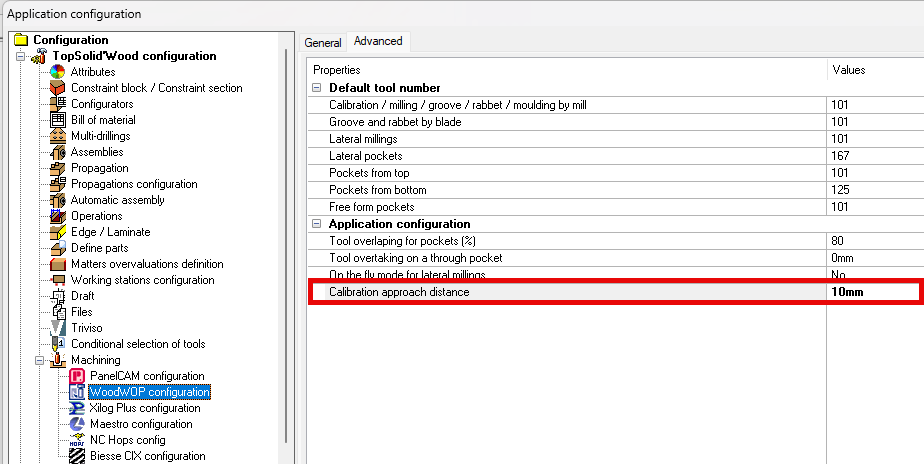
From version 6.27, a new installation (without a previous version detected) automatically initializes these values to 10 mm.
However, after an update, the existing settings are kept, it is therefore necessary to manually check these settings in Tools > Options > Machining > Machining Interfaces.