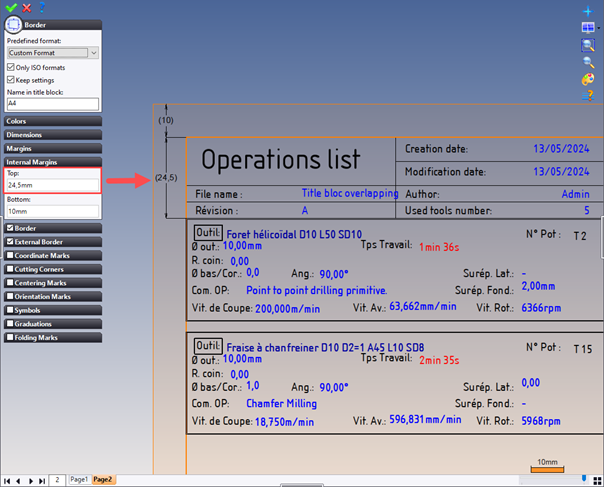
How can I avoid my first paragraph layout from overlapping my title block on page 2 of my workshop document?
By default, the internal border margins are set to 10mm. This value corresponds to the distance between the sheet border and the element just below it. In our case, it's our operations list (the title block is on a separate level).
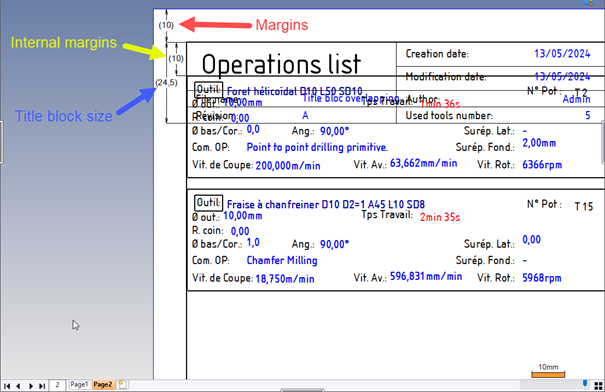
To modify this value, edit the border by right-clicking on it > Edit.
Then modify the values in the internal margins so that everything you do starts from this value.
In our case, we want our list to start after the 24.5mm title block. We'll therefore set this value in the internal margins.