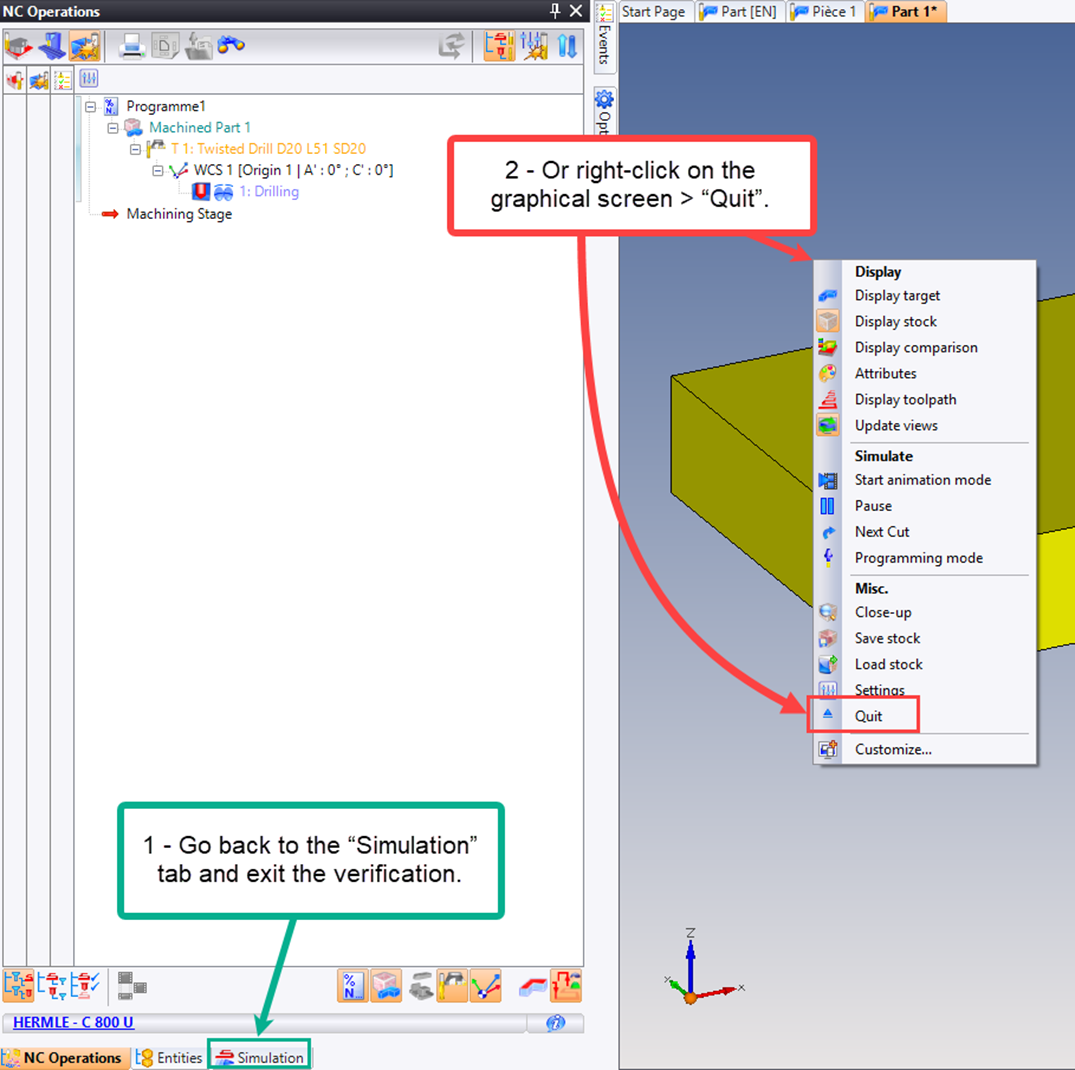
What should I do if the verification is no longer available in the contextual menu?
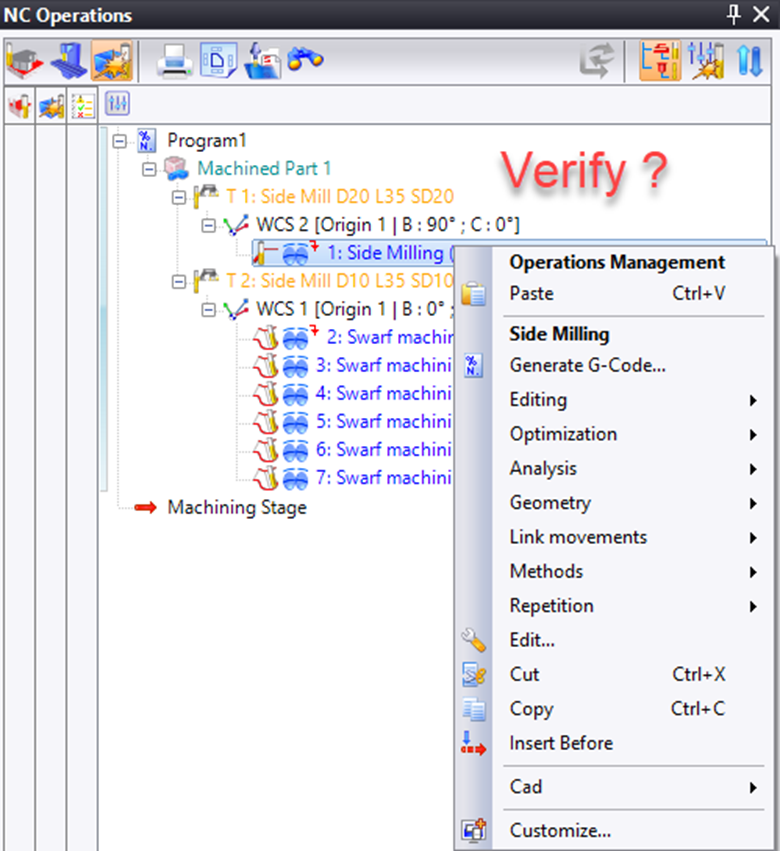
If the verification is not displayed in the context menu, another verification has already been launched on another machining document (or even in the current document) and is still in progress.
1- Go back to the “Simulation” tab to end or resume it.
2- If this tab is not visible, right-click on the graphics screen to open the verification contextual menu. Simply terminate it.