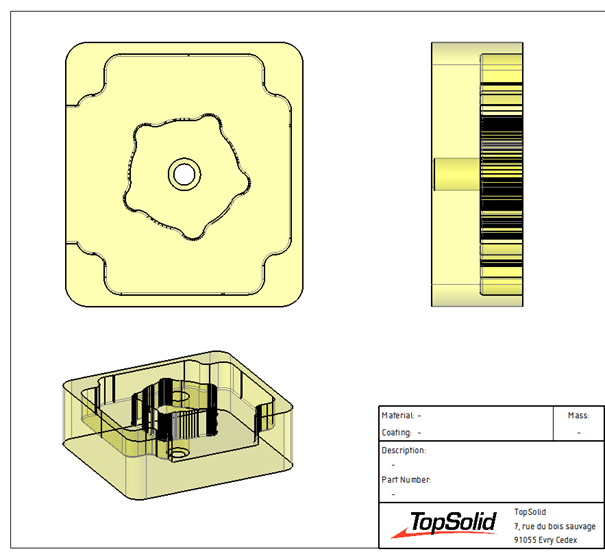
How can I create a draft document with the stock at a specific stage of the machining process?
In TopSolid, it is possible to duplicate the stock at a specific step of the machining process in order to create a drawing of it.
To do this:
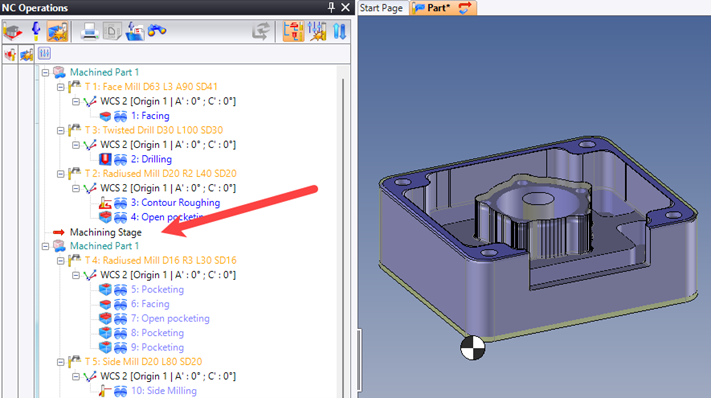
• Move the machining stage cursor to the operation where you want to create the draft of the machined part:
• Right-click on “Machined Part 1” > CAD > Machined Part 1: Other > “Duplicate into representation…”:
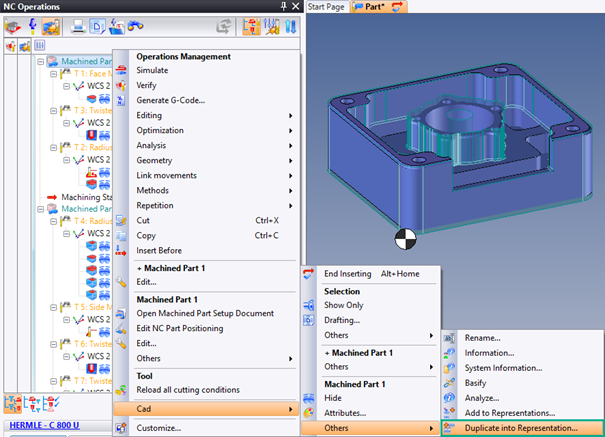
• A pop-up window appears where you can select the representation in which the machined part stock will be duplicated. A “Duplication (Machined Part 1 -> Shape X)” operation is created in the operation tree:
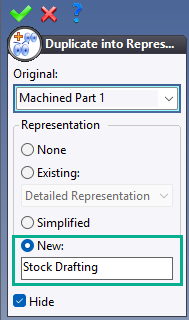
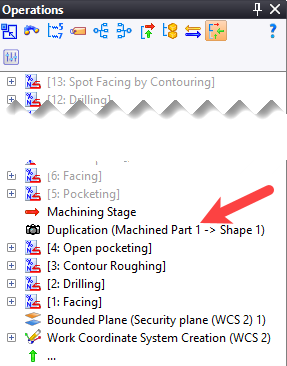
When creating the drafting document, you can then select this view.
To do this:
• Right-click on the main view > “Edit set…”:
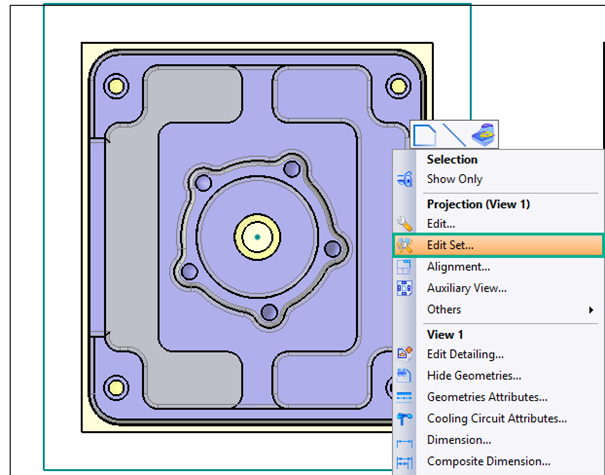
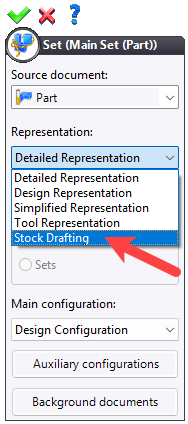
• Select the “Stock Drafting” representation created earlier: