When exporting a package, I get the message “This object is not up-to-date. Please check-out the family document […]”. What should I do?
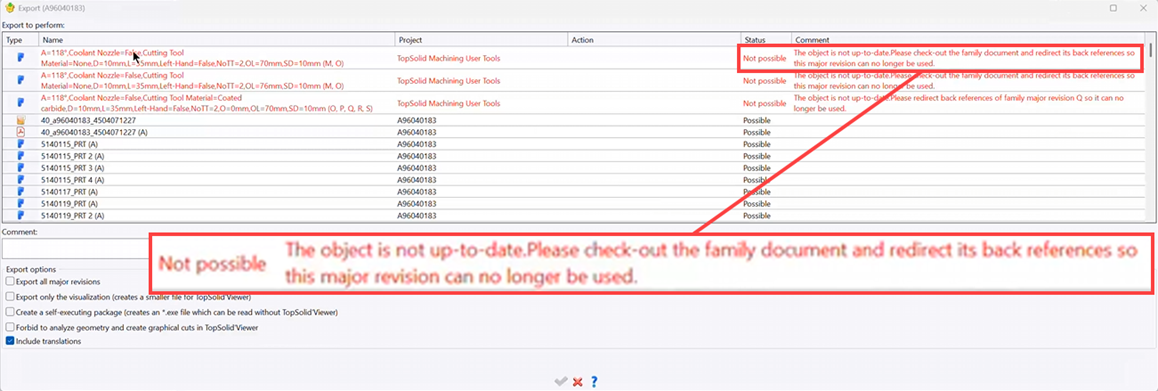
To resolve this issue, you must:
- Identify the tool that is not up to date:
• Open the “TopSolid User Machining Tools” library
• Start the package export, then click on the tool that is causing the error. This will highlight the tool in question.
- Identify the machining file in which the tool is used:
• Right-click on the tool > “Back references”: 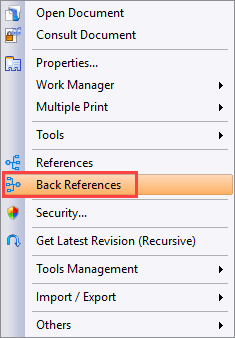
- Open the linked machining file
- Clean the document:
• Operation > Purge Document: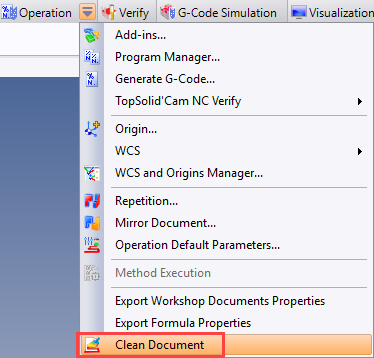
• Check the 2 first lines: 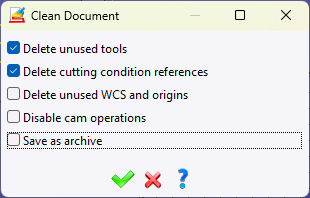
- If the tool is still there, it means it’s in use and needs to be repaired.
- To do this:
• In the NC Operations window, right-click on the tool in the task list > “Tool Properties” then confirm the window. 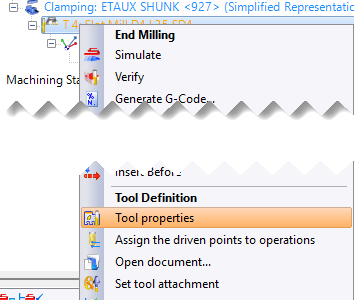
- Check-in the document
- Purge revisions from the project and/or the file to be exported: 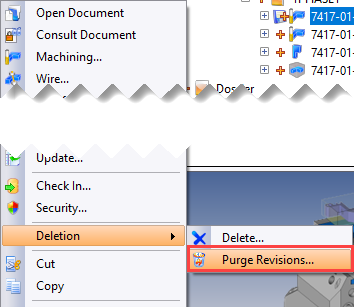
- Re-export the package